



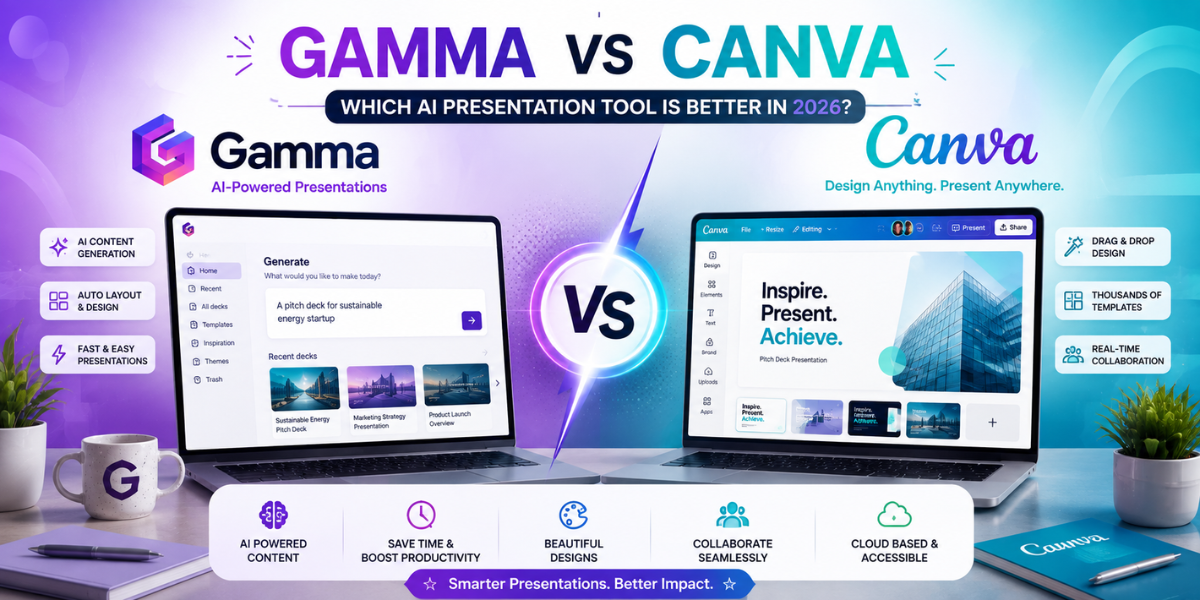
Gamma vs Canva: Which AI Presentation Tool Is Better in 2026?
Quick Answer: Gamma wins when you need a full presentation written and designed for you in minutes, especially for pitch decks and fast turnaround work. Canva wins when visual quality, brand consistency, and design control matter more than generation speed, and when the presentation is one piece of a bigger set of marketing materials. Most people asking this question don’t actually need one tool to beat the other. They need to know which one fits the specific deck they’re building this week.
I’ve built decks in both tools for the same project, back to back, just to see where they actually diverge. The honest answer is that comparing them feature by feature misses the point. Gamma was built to solve “I have fifteen minutes and a blank page.” Canva was built to solve “I need this to look exactly right and match everything else we’ve published.” Neither tool is trying to be the other, even though the marketing pages sometimes make it look that way.
What These Tools Actually Are
Gamma is an AI first tool that turns a prompt, an outline, or even a pasted document into a finished, designed presentation in one pass. You type what you want the deck to say, and Gamma writes the content and lays it out in a card based format at the same time. It also handles documents and simple websites using the same prompt to output approach, but presentations are where most people use it.
Canva started as a drag and drop design tool and has since layered AI features (Magic Design, Magic Write, background removal, AI image generation) on top of a massive existing template library. You can absolutely generate a rough presentation draft with Canva’s AI tools now, but the tool’s real strength is still manual design control across a huge range of formats, not just slides.
How This Comparison Was Built
Both tools were evaluated on the categories that actually decide which one a specific person should use: how good the AI generated first draft actually is, how far the template library goes, how much design flexibility and control you get, how each one performs specifically for pitch decks, how each one handles non slide formats like social graphics, how approachable each is for a first time user, whether one tool alone covers your full design needs, and current pricing for both free and paid tiers.
Gamma vs Canva: Full Comparison Table
| Category | Gamma | Canva |
|---|---|---|
| AI presentation generation | Core strength — generates a full deck from a prompt or outline in one step | Available through Magic Design, but less complete without manual editing |
| Templates | Smaller, curated set focused on presentations and documents | Massive library covering presentations, social posts, print, video, and more |
| Graphic design control | Limited — layouts are largely automated | Deep design control with precise placement, layering, and brand tools |
| Pitch decks | Strong fit — fast to produce and works well for investor-style decks | Workable, but requires more manual formatting time |
| Social media designs | Not a focus — Gamma is primarily presentation and document oriented | Core strength — purpose-built templates for major social platforms |
| Beginners | Very approachable with minimal design decisions required | Approachable too, but the large number of options can slow down first-time users |
| All-in-one design | No — focused on decks, documents, and simple websites | Yes — covers presentations, social graphics, print, and basic video |
| Free plan | Limited AI credits per month, enough to test the tool | Generous free tier, suitable for casual and student use |
| Pricing (paid tiers) | Roughly $8–$20 per user per month depending on the plan | Roughly $12–$15 per user per month for Pro, with higher-priced Teams plans |
| Export options | PDF and PowerPoint export, plus shareable web links | PDF, PowerPoint, image formats, and more across different design types |
Pricing, free plan limits, and specific AI features change often for both tools. Confirm current details on each company’s pricing page before budgeting, since both have adjusted tiers more than once in recent years.
AI Presentation Generation: Head to Head
This is Gamma’s entire reason for existing, and it shows. You give it a topic, an outline, or a rough document, and it produces a genuinely usable first draft, content and layout together, usually in under a minute. The writing tends to be clean and appropriately concise for slide format rather than reading like a pasted paragraph, which is a common failure point for AI generated slide content elsewhere.
Canva’s Magic Design can also generate a starting deck from a prompt, but it leans more heavily on existing templates being reshuffled around your input than on writing genuinely new, structured content the way Gamma does. The result often needs more manual rewriting to feel specific to your actual message rather than a generic fill in the blank version of your topic.
If speed from idea to first draft is the priority, Gamma is meaningfully faster and the output needs less rework.
Templates
Canva’s template library is simply larger, by a wide margin, and covers far more than presentations. That matters if the presentation is part of a bigger project involving handouts, social posts, or a one page summary that all need to look related.
Gamma’s template selection is smaller and more focused, which actually works in its favor for decks specifically. There’s less decision fatigue, and the templates are built around the card based, AI generated format rather than being a generic slide shell you fill in yourself.
Practical takeaway: if you’re building a presentation alone, Gamma’s smaller set won’t hold you back. If you need matching materials beyond the deck itself, Canva’s range is the deciding factor.
Graphic Design and Visual Flexibility
Canva gives you real design control, precise element placement, layering, custom fonts, brand color locking through Brand Kit, and fine tuned image editing. If a slide needs to look a very specific way, Canva can get there. Gamma’s layout is largely automated. You can adjust some elements, but you’re working within its structure rather than placing things pixel by pixel.
This isn’t a flaw in Gamma so much as a different goal. It’s optimized for getting to a finished, decent looking deck fast, not for pixel level art direction. If your work involves strict brand guidelines or highly custom visual layouts, Canva is built for that. If you just need something that looks clean and professional without fiddling, Gamma gets there with far less effort.
Pitch Decks Specifically
Gamma has become a genuinely popular choice for early stage pitch decks, and the reason is straightforward: founders need to communicate a lot of information clearly and quickly, and Gamma’s prompt to deck workflow produces something presentable fast enough to iterate multiple times before a real pitch. The card based format also reads well when a deck is shared as a link rather than presented live, which is increasingly how early investor decks get reviewed.
Canva can absolutely produce a polished pitch deck too, and for a founder who wants tighter visual control over how the brand is represented, that control matters. But it takes longer to get from a blank page to a finished deck, and that time cost is real when you’re iterating a pitch narrative repeatedly before a raise.
For pitch decks, Gamma is generally the faster and more practical choice, especially in the early drafting stage. Canva becomes more useful in a later polish pass if brand presentation needs tightening.
Social Media Designs
This category isn’t close. Canva was built around social and marketing graphics from the start, with dedicated size templates for every major platform, scheduling integrations, and a huge asset library. Gamma isn’t built for this use case at all, and trying to force it into that role isn’t a good use of either tool’s strengths.
If your work regularly spans presentations and social content, Canva’s ability to cover both from one account is a real practical advantage, separate from which tool makes a better slide.
Ease of Use for Beginners
Both tools are approachable, but in different ways. Gamma removes most of the decision making entirely. You type an idea, you get a deck, and you adjust from there. There’s very little to learn before producing something usable.
Canva is also beginner friendly in the sense that templates handle most of the hard design work, but the sheer number of options (fonts, elements, layouts, AI features) can genuinely slow down a first time user who isn’t sure what they’re looking for. It rewards a bit of exploration more than Gamma does.
For someone who wants to go from zero to a finished deck with the fewest decisions possible, Gamma has the edge. For someone who wants to learn a tool they’ll keep using across many design types, Canva’s slightly steeper start pays off longer term.
All in One Design Capability
Canva is the clear answer here. One account covers presentations, social graphics, print materials, basic video editing, and more, all sharing the same Brand Kit so everything stays visually consistent. Gamma is intentionally narrow, focused on decks, documents, and simple websites, and it doesn’t try to be a general design tool.
If you need one platform to handle most of your visual output, Canva is built for that role in a way Gamma isn’t trying to be.
Best for Students
Both tools work well for students, genuinely. Gamma is useful for turning class notes or a research outline into a presentable deck quickly, which suits the time pressure most students are working under. Canva’s free tier, meanwhile, is generous and widely used in schools already, with templates suited to academic presentations and group projects. If speed matters more (a presentation due tomorrow), lean Gamma. If the assignment rewards visual polish and creativity, lean Canva.
Best for Small Businesses
This depends on what the business is producing. A small business mainly creating internal reports, client proposals, or investor style updates will get more immediate value from Gamma’s speed. A small business handling its own marketing, social presence, and brand materials alongside occasional presentations will get more overall value from Canva, since one subscription covers a much wider range of output.
Pricing Breakdown
Both tools follow a similar freemium structure. Gamma’s free plan includes a limited number of AI generation credits monthly, enough to test the tool and produce a small number of decks before hitting a limit. Paid tiers generally run somewhere between $8 and $20 per user per month depending on plan and billing frequency.
Canva’s free tier is broader in scope, covering a wide range of design types with reasonable limits, which is part of why it’s so widely used by students and casual users without ever upgrading. Canva Pro generally sits around $12 to $15 per user per month, with Teams pricing higher for shared brand assets and collaboration features.
Confirm current pricing directly with each company before budgeting. Both have changed their tier structure and included features more than once in recent years, and regional pricing can vary.
Where Each Tool Falls Short
Gamma’s weak points: limited design control once you need something very specific, a smaller template library, no meaningful support for non presentation design work like social graphics, and free tier credit limits that get used up quickly with regular use.
Canva’s weak points: AI generated first drafts need more manual cleanup than Gamma’s, the sheer number of features and options can slow down a simple task, and building a full deck from scratch still takes noticeably longer than Gamma’s prompt based workflow.
Use Case Verdict
| Use Case | Winner |
|---|---|
| AI presentation generation | Gamma |
| Templates | Canva |
| Graphic design | Canva |
| Pitch decks | Gamma |
| Social media designs | Canva |
| Beginners | Both, depending on goal |
| All-in-one design | Canva |
| Fastest first draft | Gamma |
| Brand consistency across materials | Canva |
| Students on a deadline | Gamma |
| Students prioritizing visual polish | Canva |
FAQ’s
For speed, yes. Gamma writes and designs a presentation in one step from a prompt or outline, which is faster than building one manually in Canva. For visual control and brand consistency, Canva is the stronger choice, since it offers deeper design flexibility than Gamma's more automated layout system.
Gamma is an AI first tool built specifically to generate presentations, documents, and simple websites directly from a prompt. Canva is a broader design platform covering presentations, social graphics, print materials, and more, with AI features layered on top of a large existing template system.
Canva's Magic Design can generate a starting presentation from a prompt, but it typically needs more manual editing afterward compared to Gamma's more complete, ready to use first draft.
Both offer free plans. Canva's free tier is broader and covers more design types with generous limits. Gamma's free plan includes a limited number of monthly AI generation credits, which suits testing the tool but runs out faster with regular use.
Yes. Gamma is a popular choice specifically for early stage pitch decks because it produces a clear, presentable draft quickly, which matters when a founder needs to iterate a pitch narrative multiple times before presenting to investors.
Yes, through Magic Design, though the output generally requires more manual adjustment than Gamma's prompt to deck workflow, since Canva's strength is still manual design control rather than fully automated generation.
Gamma requires fewer decisions to produce a finished result, since most of the process is automated after you provide a prompt. Canva is also beginner friendly, but its large feature set can take longer to get comfortable with for a first time user.