



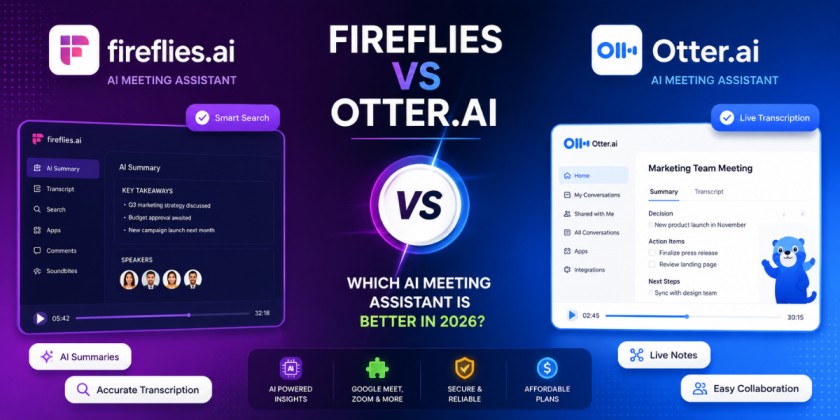
Fireflies vs Otter.ai: Which AI Meeting Assistant Is Better in 2026?
Quick Answer: For most small businesses, Fireflies is the stronger pick because of its CRM integrations, custom AI summary templates, and multi-language transcription — all useful once a business has more than a handful of client calls a week. Otter.ai wins for individuals — students, freelancers, journalists — who mainly need fast, accurate, English-language transcription without needing the notes to feed into a sales pipeline. Neither tool is universally “better.” The right one depends entirely on what happens to the notes after the meeting ends.
I’ve sat through enough client calls with both tools running in the background to know the marketing pages don’t tell you the part that actually matters: what happens when the meeting has three people talking over each other, or when someone joins five minutes late from a phone in a parking lot. That’s where these two tools actually separate from each other, not in the feature list.
What These Tools Actually Do
Both Fireflies and Otter are AI meeting assistants — software that joins your video call (or connects to your calendar to join automatically), records the audio, transcribes it in real time, and then uses AI to generate a summary, pull out action items, and let you search the conversation later instead of scrubbing through a recording. Neither replaces taking your own notes entirely. Both are meant to catch the things you’d otherwise miss while you’re focused on actually talking.
The difference isn’t really “does it transcribe” — both do that reasonably well. The difference is what each company decided to build around the transcript.
How I Evaluated Them
I looked at both tools across the categories that actually change a buying decision for a small business: how close the transcript gets to word-for-word accurate, how usable the AI summary is without editing, how well speaker labels hold up in a real multi-person call, native support for the video platforms teams actually use, where the notes go after the meeting (CRM, Slack, docs), what’s actually free versus gated, current pricing, language coverage, deeper automation features, and how each company handles the recording and transcript afterward.
Fireflies vs Otter.ai: Full Comparison Table
| Category | Fireflies.ai | Otter.ai |
|---|---|---|
| Transcription accuracy | Strong, especially with multiple speakers and background noise | Strong for clear, single-accent English audio; drops in noisy or crosstalk-heavy calls |
| Meeting summaries | Structured AI Super Summary with topic breakdown, outline, and keywords | Clean, shorter summary focused on action items and key points |
| Speaker identification | Automatic, generally reliable across most calls | Automatic, plus voice-based speaker training for recurring meetings |
| Zoom / Google Meet / Teams | Native support for all three, plus Webex and others | Native support for all three, strongest historically on Zoom |
| Integrations | Salesforce, HubSpot, Slack, Notion, Asana, Zapier, and more | Slack, Zoom, Google Calendar, with fewer native CRM integrations |
| Free plan | Limited monthly transcription credits with core features included | Around 300 minutes/month transcription on the free tier |
| Pricing (paid tiers) | Roughly $10–$19/user/month for Pro/Business tiers | Roughly $8–$20/user/month for Pro/Business tiers |
| Languages | Broad language support, well-suited to international teams | Primarily strong in English; more limited language coverage |
| AI automation | Custom AI Apps and playbooks to auto-tag topics and pull specific data points from calls | Otter AI Chat for asking questions about past meetings |
| Privacy | SOC 2 compliant, with admin-level data controls for teams | SOC 2 compliant, with clear personal-plan privacy controls |
| Best for sales teams | Yes — CRM sync and conversation intelligence built for sales teams | Not the primary use case |
| Best for freelancers | Workable but feature-heavy for a single user | Yes — lighter, cheaper, and built for individual users |
| Best for students | Overkill for lecture notes | Yes — a long-standing favorite for recorded lectures |
| Best for small businesses | Yes, once the team is coordinating client calls | Works well for very small teams with lighter needs |
Pricing and free-plan limits change often on both platforms – check each company’s current pricing page before committing, since these figures reflect general positioning as of early 2026 rather than a locked-in quote.
Transcription Accuracy: Head to Head
Neither tool nails a transcript perfectly every time – anyone claiming 100% accuracy from either one hasn’t sat through a call with three people, a bad Wi-Fi connection, and someone eating chips near their mic.
Fireflies tends to hold up better in messier, multi-speaker calls. Sales calls, client onboarding calls, team standups with five people jumping in – this is where its speaker separation and noise handling show a real edge. Its transcript is usually usable with light editing even when the audio quality wasn’t great.
Otter is very strong on clean, structured audio – one or two people, decent mics, minimal crosstalk. For a one-on-one interview or a lecture recording, Otter’s accuracy is genuinely excellent. It tends to lose ground specifically in group calls where people talk over each other, which is a common failure point for AI transcription generally, not unique to Otter, but noticeable more often there than with Fireflies.
If your meetings are mostly one-on-one or well-structured, this category is close to a wash. If your meetings involve four or more people regularly interrupting each other, Fireflies has the edge.
Meeting Summaries and AI Notes
This is where the two products show the clearest difference in philosophy.
Fireflies builds out what it calls an AI Super Summary – a structured breakdown with an outline, keywords, and topic sections rather than a flat paragraph. For a longer meeting (say, 45 minutes with several distinct topics), this structure genuinely saves time, because you can jump straight to the section you need instead of reading a wall of text.
Otter keeps its summary shorter and more focused on action items and key takeaways. For a shorter, single-topic call, this is arguably more useful – you don’t need a table of contents for a 15-minute check-in. It becomes less useful on longer, multi-topic calls where a flat summary starts losing structure.
Practical takeaway: if your calls run long and cover multiple topics, Fireflies’ structured summary will save you more editing time. If your calls are short and focused, Otter’s leaner summary won’t waste your time reading through sections you don’t need.
Speaker Identification
Both tools separate speakers automatically without requiring setup, and both are reasonably accurate once a call has been running for a minute or two (the first exchange or two often gets mislabeled while the AI is still calibrating to voices).
Otter has a specific advantage for recurring meetings with the same people – it can be trained on a person’s voice over repeated calls, which improves labeling accuracy over time for regulars in a meeting series. Fireflies handles this well too but leans more on real-time detection each call rather than a persistent voice profile.
Neither tool is fully reliable when two people have very similar voices or when someone joins by phone with a poor connection – expect occasional mislabeling in both, and don’t build a workflow that assumes speaker labels are always correct without a quick human check.
Speaker Identification
Both integrate natively with all three major platforms, plus Webex, so this category isn’t a major differentiator anymore – it was a bigger gap between competitors a few years ago.
The one practical difference: Fireflies’ bot joining behavior (how it announces itself entering the call, and options to keep it silent/hidden) has historically had a bit more configurability for teams that don’t want an obvious “notetaker bot” icon showing up in a client-facing call. If client perception of a recording bot joining matters to you – and for a lot of small businesses doing sales or consulting calls, it does – check each tool’s current bot-visibility settings before deciding, since this is a detail vendors adjust fairly often.
Integrations
This is arguably the single biggest reason to pick one over the other if you’re running a small business, not just taking personal notes.
Fireflies integrates directly with Salesforce and HubSpot, meaning call notes, summaries, and action items can land inside the CRM record for that client or deal without manual copy-paste. It also connects to Slack, Notion, Asana, and Zapier, which covers most small-business tool stacks.
Otter’s integration list is thinner, focused more on calendar sync, Zoom, and Slack. It’s not built with CRM workflows as the priority, which tracks with its positioning toward individual users rather than sales or client-facing teams.
If your business runs on a CRM and you want meeting notes to end up there automatically, this category alone can decide the comparison in Fireflies’ favor.
Free Plan Comparison
Otter’s free plan has historically offered a meaningful number of transcription minutes per month (around 300 minutes, though check current limits, since Otter has adjusted this before) – enough for a student or freelancer doing a handful of calls or lectures weekly without hitting a wall immediately.
Fireflies’ free plan includes core transcription and basic AI summary features but caps usage differently, often through a mix of storage limits and AI credit limits rather than a straight minutes cap. It’s workable for testing the tool with a small volume of calls, but a business making daily client calls will likely outgrow it faster than an individual using Otter for occasional lectures or interviews.
Bottom line on free tiers: Otter’s free plan stretches further for individual, moderate use. Fireflies’ free plan is more of a trial than a long-term free workflow for anyone using it regularly for business calls.
Pricing Breakdown
Both tools follow a similar per-seat monthly pricing structure once you move past free, generally in the same rough range – Pro tiers commonly land somewhere between $8 and $20 per user per month depending on billing frequency (annual billing is cheaper than monthly on both), with Business/Enterprise tiers priced higher and often requiring a custom quote for larger teams.
Neither is dramatically cheaper than the other at the individual-plan level. The real cost difference for a small business shows up at scale – a five-person sales team paying per seat on Fireflies’ Business tier, with CRM integration included, is likely to get more usable value per dollar than the same team on Otter, simply because the notes don’t need manual CRM entry afterward.
Confirm exact current pricing directly on each company’s pricing page before budgeting – both have changed tier structure and pricing more than once in recent years.
Language Support
Fireflies supports a noticeably broader range of languages for transcription, which matters directly for international teams, agencies with overseas clients, or businesses operating in non-English-primary markets.
Otter remains strongest in English and has historically been slower to expand multilingual support compared to Fireflies. For an English-only small business, this won’t matter. For anyone regularly on calls in Spanish, French, German, or other widely spoken business languages, Fireflies is the safer bet.
AI Automation Features
Fireflies’ AI Apps feature lets you set up specific automated tasks – for example, auto-detecting when pricing was mentioned on a sales call and tagging that moment, or pulling specific data points (like a client’s stated budget or timeline) directly out of the transcript into a structured field. This is genuinely useful for sales and client-facing teams doing repeat calls with a consistent structure.
Otter AI Chat works differently – it lets you ask questions about your past meetings in a conversational way (“What did we agree on budget in last week’s call with Client X?”) and get an answer pulled from your transcript history. This is more useful for someone managing a lot of individual meeting history and wanting quick recall, rather than automating a repeatable sales workflow.
Neither is “more AI” than the other – they’re built for different jobs. Fireflies automates structured, repeatable business processes. Otter helps you recall and search your own meeting history conversationally.
Privacy and Data Handling
Both companies state SOC 2 compliance and offer admin-level controls on team plans, which covers the baseline most small businesses need. Where it matters more is transparency around whether call content is used to train AI models – this is a fast-moving area of policy for both companies, and the honest answer is: check each company’s current data-use and retention policy directly before recording anything genuinely confidential, like legal consultations or financial details, rather than relying on general reputation.
Practical steps that apply regardless of which tool you choose: turn off recording for any call involving sensitive financial, legal, or HR content unless you’ve specifically confirmed the vendor’s policy covers that use case, and tell participants the meeting is being recorded and transcribed by AI – this isn’t just good practice, it’s a legal requirement in a number of U.S. states and other countries under two-party consent recording laws.
Best for Sales Teams
Fireflies wins here clearly. The CRM integrations (Salesforce, HubSpot), AI Apps for auto-tagging pricing or objections mentioned on calls, and conversation intelligence features are built specifically around the sales call workflow – reviewing what was said, pushing notes into the deal record, and spotting patterns across many calls. Otter can technically be used for sales calls, but it’s not solving the specific problems a sales team runs into (deal tracking, CRM sync, call pattern analysis) the way Fireflies is designed to.
Best for Freelancers
Otter is the more practical choice for most freelancers. It’s cheaper at the individual level, the free plan covers a reasonable volume of client calls or interviews on its own, and freelancers rarely need CRM integration or multi-language support unless they’re working with international clients regularly. Fireflies isn’t a bad option, but a lot of its value sits in features a solo freelancer won’t use.
Best for Students
Otter has been the default choice for students for years, and that’s held up. Lecture transcription, searchable notes, and a free plan that covers regular class recordings without hitting a paywall every week make it the more natural fit. Fireflies works fine technically for this use case too, but it’s built with business workflows in mind, and a student doesn’t need CRM sync or sales call tagging.
Best for Small Businesses
This depends entirely on what the business does day to day. A small consulting firm, agency, or sales-driven business running frequent client calls will get more out of Fireflies because of the CRM integration and structured summaries. A small business that mainly uses meetings internally – team check-ins, project updates – without much client-facing call volume may find Otter’s simpler, cheaper setup does the job just as well without paying for integration features that go unused.
Where Each Tool Falls Short
Fireflies’ weak points: the free plan is more limited for regular business use than Otter’s, the interface has more going on (which some users find cluttered compared to Otter’s simpler layout), and the depth of automation features means there’s a real learning curve if you want to use anything beyond basic transcription.
Otter’s weak points: thinner integration list for anyone needing CRM sync, weaker multilingual support, and accuracy that drops more noticeably in busy, multi-speaker calls compared to Fireflies. It’s also less built out for teams that want shared workflows and admin controls across many users.
Final Verdict
If you’re running a small business with any real volume of client or sales calls, go with Fireflies – the CRM integration alone tends to pay for the subscription in saved admin time. If you’re an individual – a student, freelancer, or journalist – who just needs clean, affordable transcription without a business workflow attached, Otter is the simpler, cheaper, and honestly more pleasant tool to use day to day. Try both on their free plans before committing to either; a 30-minute test call on each will tell you more about accuracy on your specific meeting style than any comparison article, including this one.
It depends on how client-facing the business is. Fireflies is generally the better fit for small businesses making regular sales or client calls, mainly because of its CRM integrations with Salesforce and HubSpot. Otter suits small teams whose meetings are mostly internal and don't need to feed into a CRM.
Both are strong, but they perform differently depending on call type. Otter tends to be more accurate on clean, one-on-one or small-group audio. Fireflies holds up better in noisier, multi-speaker calls with more crosstalk.
Otter's free plan generally covers more ongoing usage for an individual, historically offering around 300 transcription minutes per month. Fireflies' free tier is more limited for regular business use and works better as a short-term trial than a long-term free workflow.
Yes, Otter can join Zoom, Google Meet, and Microsoft Teams calls automatically through calendar integration, similar to Fireflies.
Yes — its CRM integrations, AI-powered call tagging, and conversation intelligence features are specifically built around sales call workflows, making it a stronger fit for sales teams than Otter.
Their paid tiers sit in a similar general price range, roughly $8 to $20 per user per month depending on the plan and billing cycle. Neither is dramatically cheaper across the board — the better value depends on which features your team will actually use, since paying for CRM integration you never use isn't a saving either way.
Otter's language support is more limited and English-focused compared to Fireflies, which offers broader multilingual transcription support suited to international teams.
Fireflies states SOC 2 compliance and offers admin-level data controls, but for genuinely confidential meetings — legal, financial, HR — check the company's current data retention and AI training policy directly before recording, rather than assuming general compliance covers every sensitive use case.